


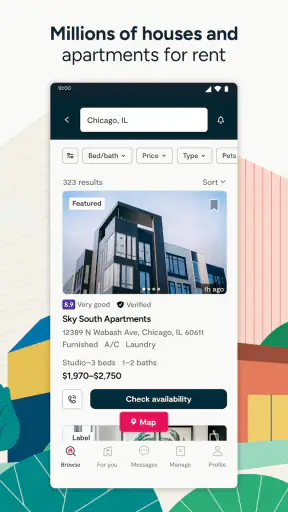

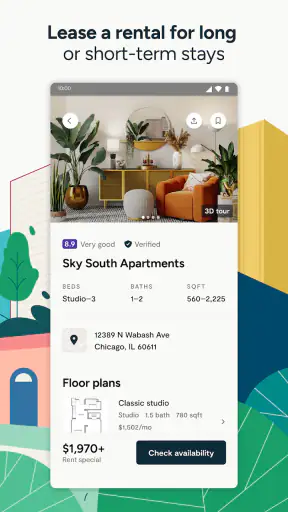
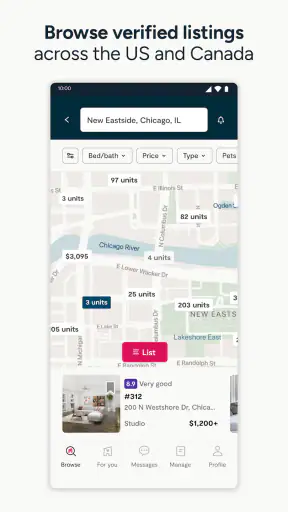
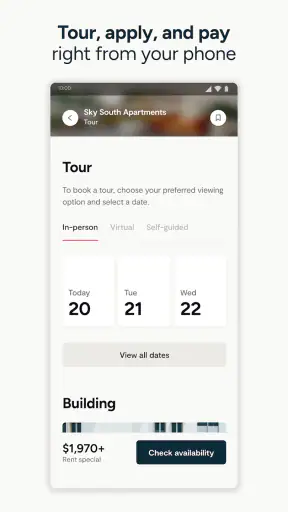
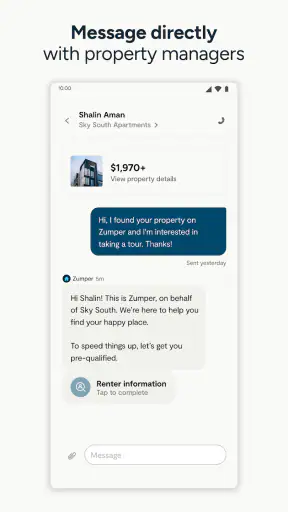
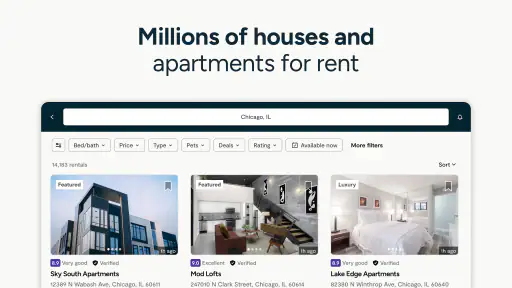
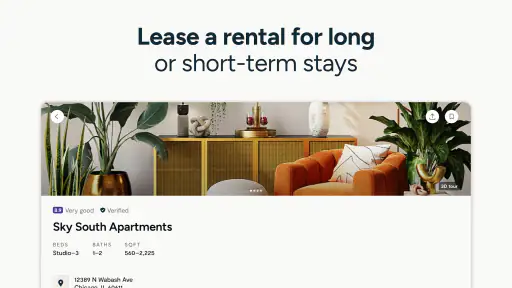
Finding a place to rent is stressful enough without losing time to a confusing search process. I tried Zumper as a practical apartment-finding tool, and my overall impression is that it works best when you treat it as a workspace for organizing a move, not as a magic shortcut to a signed lease. It brings rental discovery and application steps into one mobile experience, which can make a busy search easier to manage.
Zumper is a free House & Home app from Zumper, Inc. It is suitable for Everyone, runs on iOS 9 or later, and has been available since May 2, 2014. The current version is 4.18.57. Its scale is reassuring: it has passed 1 million installs, with a 4.7 average from around 40 thousand ratings and about 9.1 thousand written reviews. Those figures suggest that it is not a niche experiment, although a popular rental app can still feel very different depending on the city and the listings available there.
Using Zumper without getting stuck
Where the first friction usually appears
The first challenge is not usually opening the app; it is deciding how specific to be. A renter may know the neighborhood but not the exact budget, or know the maximum monthly payment but be flexible about location. If I enter an overly narrow search immediately, I risk making the results look empty when the real issue is simply that the criteria are too tight. I prefer to begin with a realistic area and a broad price range, then narrow the list after I see what the local market actually offers.
This approach matters because rental searches are full of trade-offs. A lower price may mean a longer commute, fewer rooms, or a less convenient location. A larger home may require flexibility on amenities or move-in timing. Zumper is useful for seeing those compromises in context, but it cannot decide which one is acceptable for me. I still need to compare the complete listing details and think about daily life rather than choosing the first attractive photo.
Another point where users can lose time is assuming that every listing deserves an immediate application. I would first check the address area, the stated rent, the available date, the bedroom count, and the contact or application instructions. A polished listing can still be unsuitable if the commute is wrong or the timing does not match my move. The app helps me gather options; it does not remove the need for judgment.
Setup checks that make the search more useful
Before searching seriously, I recommend deciding on three boundaries: the highest rent I can comfortably handle, the areas I can genuinely reach, and the earliest date I could move. These are more useful than browsing endlessly. I also keep a short note outside the app with questions that matter to me, such as whether the advertised home fits my furniture, whether the neighborhood works for my routine, and what documents I may need if I decide to apply.
If results seem irrelevant, I adjust one search condition at a time instead of changing everything at once. For example, I might expand the area slightly while keeping the budget fixed. If that produces useful homes, I learn that location was the limiting factor. If nothing changes, I can revisit the price or bedroom requirement. This simple method prevents the common mistake of repeatedly editing filters without understanding why the results changed.
It is also worth checking the basics when the app behaves oddly. I make sure the device has a stable connection, close and reopen the app, and confirm that I am using the current version available for my device. If a search or application screen does not load, I avoid tapping repeatedly, because duplicate actions can create confusion about whether something was submitted. A clean restart is often a better first step than assuming the listing or application has disappeared.
A realistic apartment-search routine
Imagine I am moving for a new job and have one free evening to search. I would begin by reviewing a manageable set of homes rather than trying to inspect every result. I would save the strongest candidates, compare their locations and practical details, and remove anything that fails a non-negotiable requirement. Then I would contact or apply only to the homes that still make sense after that second look.
The valuable part of this routine is the pause between discovery and action. Rental photos can create an emotional reaction, especially when a home appears to match a wish list. Waiting long enough to compare the full information helps me avoid spending effort on a place that is outside my budget or unavailable when I need it. It also gives me a clearer list of questions for the property contact.
For a couple or family, I would share the shortlist rather than sending a stream of individual listings. That makes disagreements visible early: one person may prioritize a second bedroom, while another cares more about transportation or total monthly cost. Zumper is more useful in this situation when it supports a deliberate shortlist than when everyone browses separately and reaches different conclusions.
Recovering when the workflow breaks
A rental search can break in several ways. A listing may no longer fit, a page may fail to load, or I may lose track of which home I intended to revisit. My first recovery step is to return to the search rather than repeatedly forcing the same screen. I then recreate the search using the broadest criteria that still describe my needs and narrow it again carefully. This often separates a temporary display problem from a search that was simply too restrictive.
If I am halfway through an application and the process stops responding, I would note the property address and the last completed step before trying again. That small record prevents me from guessing later. I would also check whether the application actually progressed before submitting anything a second time. When a process involves personal information, avoiding duplicate submissions is worth a minute of caution.
For a missing or changed listing, I would not assume that the app caused the change. Rental availability moves quickly, and a property can be updated by the person or company managing it. I would search the address or key details again, compare the new information carefully, and use the available contact route if I need clarification. The app is a channel for finding and applying, but the underlying availability belongs to the rental side of the transaction.
One practical habit is to keep a simple application log with the property name or address, the date I contacted someone, and any next step. I would not store sensitive information in an unsecured note, but a basic reminder about follow-up can prevent two common problems: forgetting a promising home and contacting the same property repeatedly without knowing what happened before.
When the app is not the cause
Some frustrations come from the rental market itself. A home may disappear because it was taken, a price may change, or a contact may respond slowly. Those situations can feel like app failures because the search happens on the phone, but reinstalling the app will not solve them. I separate technical symptoms, such as a screen that will not load, from market changes, such as a listing no longer being available.
Location is another important exception. Zumper may be a strong starting point in one city and less useful in another if the local inventory is limited or if landlords mainly use different channels. I would compare its results with established local rental sites, property-management pages, and neighborhood resources. That is not a criticism of the app so much as a realistic rule: no single marketplace should be assumed to represent every available home.
I also would not rely on an app listing as a substitute for basic rental caution. I would verify the address, read the terms presented during the process, and avoid sending money merely because a listing looks urgent. If someone asks for unusual payment behavior or refuses reasonable questions, I would step back and investigate independently. A convenient mobile workflow should make checking easier, not make me skip checks.
How it compares with ordinary alternatives
The usual alternative is a mixture of browser searches, local listing pages, direct property-manager websites, and messages saved in email or notes. That approach can expose more sources, but it quickly becomes scattered. Zumper’s advantage is concentration: I can begin with a rental-focused search and move toward an application without maintaining as many separate tabs or remembering where each property came from.
Its limitation is the same concentration. If I depend on one marketplace, I may miss homes that appear only through local agents, building websites, or community networks. A browser can also be better when I want to compare many sources side by side or inspect a property manager’s broader information. For a wide search, I would use Zumper as one central tool and keep a second source available for cross-checking.
Compared with informal social-media listings, a dedicated rental app feels more organized for filtering and reviewing homes. Informal sources can sometimes reveal opportunities earlier, but they also require more independent verification and more care with communication. I would choose the convenience of Zumper for the main search, then use other channels when the local market clearly demands it.
Who will get the most from it
I think Zumper is a good fit for renters who are starting a move, need to compare several neighborhoods, or want a more structured path from browsing to applying. It is especially helpful when time is limited and I need to turn a vague plan into a shortlist. The free price also makes it easy to test without committing money simply to see whether the local inventory is useful.
It is less suitable for someone who already has a specific building and only needs the building’s direct leasing process. In that case, going straight to the property manager may be faster. I would also be cautious about using it as my only resource if I am searching in a small market, have unusual housing requirements, or need a type of property that appears infrequently in standard apartment results.
People who dislike entering information on a phone may find the application stage tiring, particularly if they are not prepared with the details commonly requested during a rental process. I would gather the necessary personal and financial information privately before beginning, rather than starting an application impulsively from a promising photo. Preparation reduces interruptions and makes it easier to notice when a listing does not justify the effort.
My practical verdict
After using Zumper as a rental-search companion, I see its strongest quality in the way it gives structure to a messy decision. It is not simply about finding an attractive apartment; it helps me move from broad exploration to a smaller set of realistic options and then decide which ones deserve contact or an application. That workflow is valuable when a move is urgent or when several people need to compare the same choices.
The best results come from using it actively: start broad, change one condition at a time, check the details before applying, and keep a private record of follow-ups. If a screen fails, use basic connection and restart checks before repeating an action. If a listing changes, treat that as a normal part of a fast rental market rather than proof that the app has lost information.
My recommendation is positive, with one clear condition: use Zumper as a strong starting point, not as your only source or your only safety check. Its 4.7 average and broad adoption make it easy to justify trying, while the free access removes much of the risk of testing it in your area. For many renters, the real benefit is a more disciplined search process, provided they still verify listings, compare alternatives, and make the final decision with the same care they would use outside the app.


